
Stay Close When Youre Far Away Using Apple AirTags
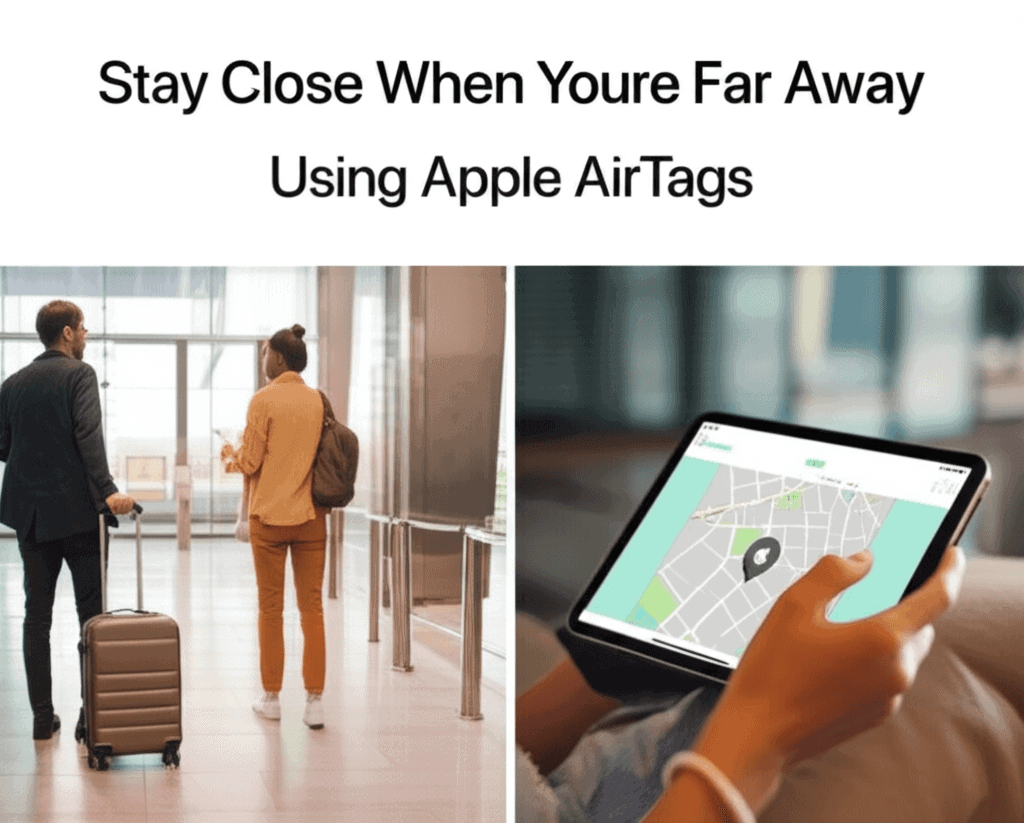
When someone important lives far away, a small gadget changes everything. Apple AirTags are tiny trackers that link to the Find My network, helping keep track of your things and people who follow regular routes and location alerts. These little devices turn worry into calm and trust. Want to feel close even when miles sit between you? AirTags bring simple, clever ways to do just that. You’ll discover neat tips and quick hacks to set them up fast, cutting down distance and warming hearts. See how this clever tech transforms basic tracking into a powerful way to stay connected. Stick around and learn why everyone is talking about it.
We cover features that matter when distance separates family members how to set alerts and placements that work for older adults and tips to avoid common pitfalls. Read on for real examples that you can adopt in a weekend and steps to make AirTags part of a broader safety plan.
Stay Close When Youre Far Away Using Apple AirTags Key concepts to know
Start with three basic ideas before installing an AirTag. First the device links to the Find My app so location updates show up for the owner. Second AirTags rely on other Apple devices in the area to report location when not nearby. Third physical placement and the way alerts are set determine how useful the device is for remote care.
Those points explain why the same AirTag can be used for a set of keys or attached to a walker in different ways. Knowing how the network reporting works helps you set expectations about update frequency and accuracy.
How separation alerts and lost mode help you stay connected
Two features are especially useful when you want to stay close from a distance. Separation alerts notify an iPhone if an AirTag moves away from its paired phone. Lost mode lets an owner show contact info and collect location reports from the network when the AirTag is outside the immediate circle of devices.
Separation alerts explained
Separation alerts are simple to configure in the Find My app. Choose the AirTag pick a location and set the alert so it triggers when the item leaves that place. For a parent who leaves a wheelchair at home while visiting a clinic this alert flags an unexpected separation and helps trigger a quick check in.
Using lost mode when an item goes missing
Lost mode is the fallback for when an AirTag leaves the area of known devices. When enabled the AirTag can display contact information to anyone who finds it and will send location updates as other Apple devices pass nearby. That makes it useful for remote guardians who want to track the last seen places and coordinate retrieval.
Practical setups for aging in place and family care
AirTags work best when they are part of a plan tailored to daily routines and known risks. A few placement examples help turn a tracker into a useful tool.
- Attach an AirTag to a frequently misplaced item like a wallet or key pouch so the person can trigger sound to find it
- Fasten an AirTag to mobility aids such as a cane or rollator to get alerts if the aid is left behind during an outing
- Place an AirTag inside a bag or pocket where it will remain with the person rather than on an external strap that may be removed
For older adults who live alone combine a single AirTag with a daily check in call or a scheduled message from a family member. If an alert shows the AirTag moved unexpectedly a call can confirm that everything is okay and arrange assistance if it is not.
For an in depth look at how alerts can be combined with other home safety options check this practical overview that links AirTag capabilities with longer term arrangements read the full story.
Examples of real world workflows
Concrete examples help turn ideas into habits. Here are three workflows that families can try.
- Morning routine check in. Place an AirTag on a breakfast bag. If the bag leaves the house before a scheduled call an alert triggers the caller to ask about the outing and confirm a drop off time.
- Medication reminder combo. Pair an AirTag with a pill organizer and set an alert to notify a caregiver if the pill box leaves a trusted area unexpectedly.
- Errand monitoring. Attach an AirTag to a grocery tote. If the tote remains away from home for longer than planned a relative can follow up to confirm the return time.
Each workflow uses simple rules and a short sequence of actions that family members can practice until they become natural.
Privacy and safety considerations when using AirTags from afar
AirTags include several safeguards designed to prevent misuse. If an AirTag that does not belong to you is moving with you for a period of time your iPhone will provide an alert. An unknown AirTag can also be made to emit a sound and scanned to show owner contact details when in lost mode.
For families setting up AirTags for older adults be clear with the person about where the device is and how it will be used. Transparency reduces confusion and builds trust. Also review the iPhone privacy settings and teach the person how to respond to an alert in case they encounter an unknown device.
Tips to get the most from AirTags while you are apart
Small adjustments make AirTags more reliable for remote monitoring. Try these practical tips.
- Choose a fixed place for charging devices or replacing batteries and mark the date so battery swaps happen roughly once a year.
- Label an AirTag with a short note inside a case so a finder sees the purpose without opening the device.
- Test alerts with low stakes items so everyone involved understands how notifications appear and what actions should follow.
- Keep the Find My app and iPhone OS updated to receive the latest fixes and feature changes.
Battery life on an AirTag is about a year with typical use and the battery is a standard CR2032 cell that is user replaceable. That predictable schedule is useful for caregivers who set reminders to perform maintenance.
Troubleshooting common issues when staying connected from a distance
When an AirTag does not behave as expected the cause is often one of a few common problems. Below are symptoms and practical steps to resolve them.
- Location stalled. If location updates stop check whether there are Apple devices nearby that can report the AirTag. In sparsely populated areas updates may be infrequent.
- No separation alert. Verify that alerts are enabled and that the paired phone has location services active. If the phone is offline alerts may not deliver until it reconnects.
- Unexpected beeps. If an AirTag emits a sound it may have been separated from its owner or detected moving with another person. Use the Find My app to identify and address the situation.
Another useful check is to confirm that the AirTag is linked to the intended Apple ID and not shared incorrectly. Removing and readding the device to the account can clear lingering issues but do that only after backing up any needed settings.
Setting expectations about range and reliability
AirTags are not a substitute for a dedicated personal emergency device. Range and network conditions matter. An AirTag depends on nearby Apple devices to relay location so coverage mirrors the density of those devices in the area. Urban areas typically produce faster and more frequent updates than rural zones.
For urgent medical alerts rely on a dedicated emergency system. Use AirTags as a complementary layer for tracking belongings and for gentle notifications when items or aids leave a known area. That layered approach reduces false alarms and keeps the system useful over time.
In summary AirTags provide a straightforward way to Stay Close When Youre Far Away Using Apple AirTags by linking small trackers into the broad Find My network and using separation alerts and lost mode to surface changes that matter. They work best when placed thoughtfully and paired with simple workflows and regular maintenance such as yearly battery checks. Start by picking two use cases that address daily routines then test the alerts with low stakes items before adding devices to higher risk scenarios.
If you care for someone at a distance build a short checklist this week. Choose which items to track decide who receives alerts and schedule a test run. After a test run review what worked and tweak alert settings or placement as needed. Taking those steps turns an AirTag from a gadget into a practical part of a remote care plan. Try the examples in this article and adjust them to fit your family habits.